Website Navigation Menus
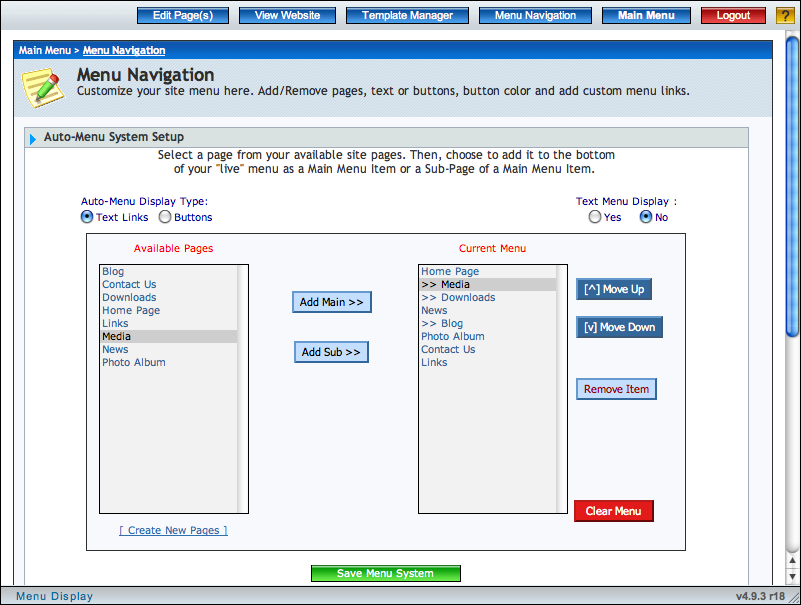
Your website's menu navigation menu is the set of buttons/links that appear on every page of your website that visitors click on to navigate through your various pages. The Auto-Menu System gives you, the website owner, complete control over which site pages are linked-to on this menu, and how those buttons/links are styled.
Manage Your Menu Items
- Show menu items as buttons or text-only links
- Easily add pages to the menu either as regular main page links or as sub-page links below a main page
- Add, reorder, or remove a menu item with a single click
- Turn on/off a small text-only version of your site's menu system that appears at the bottom (footer) of your website
- Edit the color scheme for your menu buttons
- Keep pages off the menu while you're working on them
- Web designers/developers: create exactly the menu layout you want, then let your customers manage it!